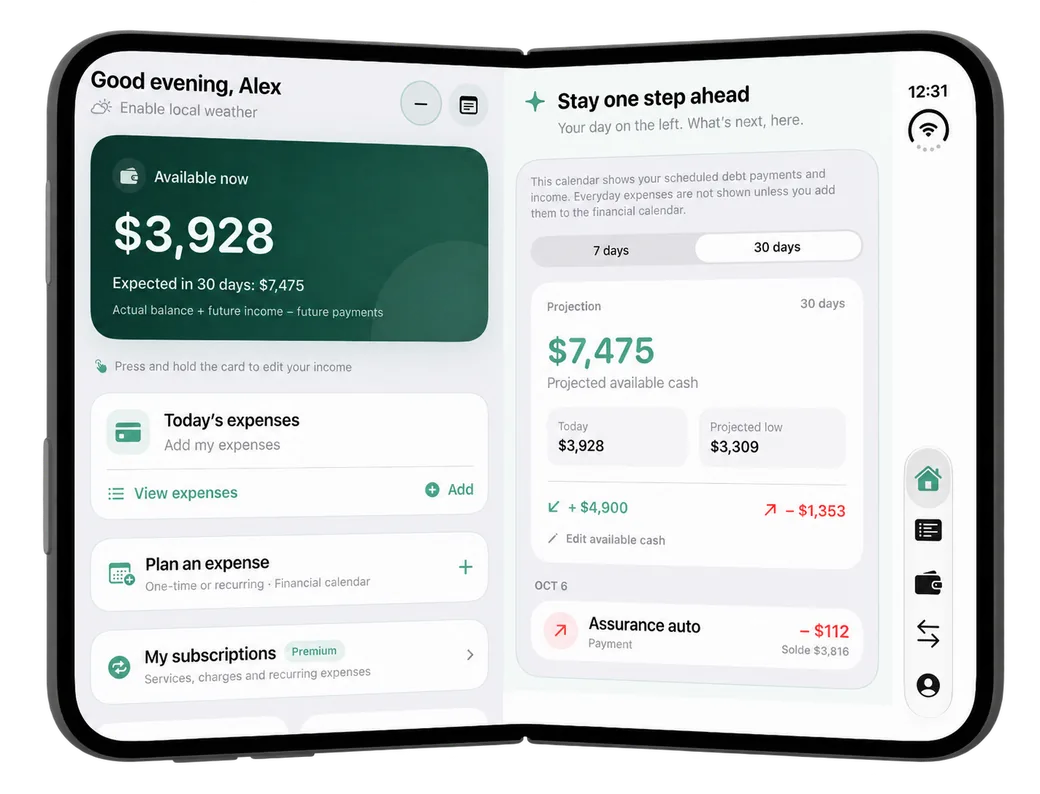
Available money and a financial calendar
See your available balance alongside planned income and payments. Projections use the balances and transactions you enter, so you can spot periods when funds run lower and adjust your plans.
Accounts and transactions in one view
Keep accounts in view while reviewing their activity. Categories and budgets help you understand where your money goes.
Room for everyday plans
Goals, notes and checklists complement financial planning. Keep your notes list beside an open checklist.
iPhone Duo simulator capture.
Frequently asked questions
Does Mengo connect to my bank?
No. You enter your amounts yourself or import your statements (Premium). Mengo never asks for your bank password.
Which devices?
Android now, through Google Play. The iPhone and iPad version is in review with Apple. The side-by-side layout shown here was captured in the iPhone Duo simulator.
Which languages?
Mengo is available in English, French, Spanish, Arabic and Chinese.